
Free Shot Timer App & Angle Finder
Free web apps for your phone, built by the ShootingTargets7 crew for range day. A free shot timer app with par times and splits, plus an angle finder for dueling trees and steel targets. Nothing to buy, no account, no app store.
- 100% free
- iPhone & Android
- Install to your home screen
- No sign-up

Free shot timer app
ST7 Shot Timer
Turn your phone into a shot timer and par timer for dry fire, live fire and steel drills. It gives you a random start beep, hears your shots through the phone's mic, and shows your first-shot time, splits and total time. No timer to buy and nothing to download from an app store.
- Random start beep (1 to 4 seconds by default, adjustable) or instant start
- Shot detection with first shot, split times and total time
- Optional par beep, settable from 0.1 to 120 seconds
- Mic sensitivity slider with a live level meter, plus adjustable echo lockout so steel ring and echoes don't count twice
- Delete false shots after a string and the splits recalculate
- History of your strings, saved on your phone only
- Install app and Share this timer buttons, plus a how-to video narrated by Mark
How to use it
- Tap Test mic and allow the microphone. Fire or clap, then set the sensitivity so shots cross the white line on the meter but range noise does not.
- Tap START. After a random delay the phone beeps. Shoot your string.
- Tap STOP. Review the string, delete any false shots, and tap AGAIN to run it back.
Works best for solo shooters. Shots from adjacent lanes can trigger the timer, and very loud rifles may overload a phone mic. On iPhone, turn off silent mode and use Test beep before you shoot.

Free angle finder
ST7 Target Angle Indicator
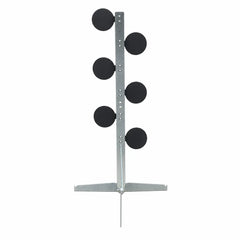
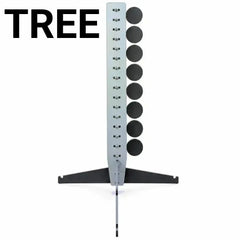
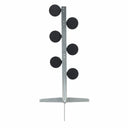
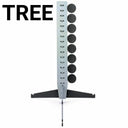
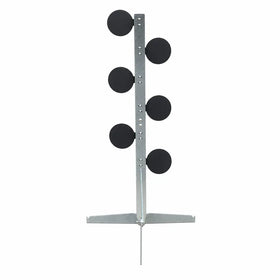
A simple angle finder for setting up ST7 Dueling Tree paddles and other steel. Hold your phone against the target and read the lean in degrees, big and clear, on a gauge from 0 to 45 degrees either way. No bubble level or protractor needed at the range.
- Large degree readout with a 0 to 45 degree lean gauge
- Uses your phone's built-in motion sensors
- Hold freezes the reading so you can step back and look
- Zero restarts the reading
- Share sends the tool to a shooting buddy
- Add it to your home screen to open it like an app
How to use it
- Open the tool and tap Turn on sensors. On iPhone, allow motion access when asked.
- Hold the edge of your phone flat against the paddle or target face.
- Read the angle, or tap Hold to freeze it. Tap Zero to start a fresh reading.
If motion was blocked on iPhone, go to Settings → Safari → Motion & Orientation Access.
Put the tools to work on steel
A timer is only as good as what you're shooting at. Our AR500 steel gives you instant hit feedback, so the timer hears a clean shot and you hear the ring.
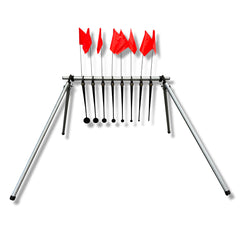
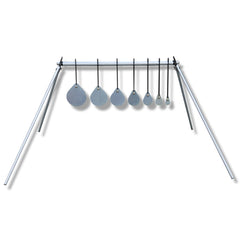
Running speed drills? Pair the shot timer with the Know Your Limits (KYL) Target System and track your times as the paddles get smaller.
Free tools FAQ
Is the shot timer really free?
Yes. The ShootingTargets7 Shot Timer is free to use in your phone's web browser. There is no purchase, no subscription and no account to create. Your times are saved on your phone only.
Does it work on iPhone and Android?
Yes. Both tools run in the browser on iPhone (Safari) and Android (Chrome or Samsung Internet). The shot timer needs microphone permission and the angle tool needs motion sensor permission. On iPhone, turn off silent mode and use Test beep before you shoot, because iOS can play the beep quieter while the mic is on.
Can I install it like an app?
Yes. Tap Install app in the shot timer, or use Add to Home Screen. On iPhone, tap the Share icon and choose Add to Home Screen. In Chrome, tap the three dots and choose Add to Home screen or Install app. It then opens full screen like an app. Open the page in Chrome or Safari first, because in-app browsers like Facebook or Instagram can't install apps.
Will other shooters on the range set off the timer?
They can. The timer listens through your phone's mic, so it works best for solo shooters. Shots from adjacent lanes can trigger it, and very loud rifles may overload a phone mic. After a string you can tap the X next to any false shot to delete it, and the splits recalculate.
What is echo lockout?
After each shot the timer ignores sounds for a short window (90 ms by default, adjustable from 30 to 300 ms) so echoes and steel ring are not counted as extra shots. Very fast doubles closer together than the lockout will count as one shot.
What does the Target Angle Indicator measure?
It uses your phone's motion sensors to show how far the phone is leaning left or right, in degrees, on a 0 to 45 degree gauge. Hold the phone against a dueling tree paddle or target to read its angle, tap Hold to freeze the number, and tap Zero to restart the reading.
🎖️ Veteran-owned. Built for the range.
ShootingTargets7 makes steel targets and target systems for shooters, and we built these free tools because we use them ourselves. Bookmark this page and share it with your shooting buddies.
Start the free Shot Timer